
RTI Courses

Search courses...

Search courses...

Since 1992, RTI has been at the forefront of innovation in control and automation, delivering award-winning solutions that integrate seamlessly into homes and businesses.
Choose a Course

(No required order)

Associate Training

1:30:00

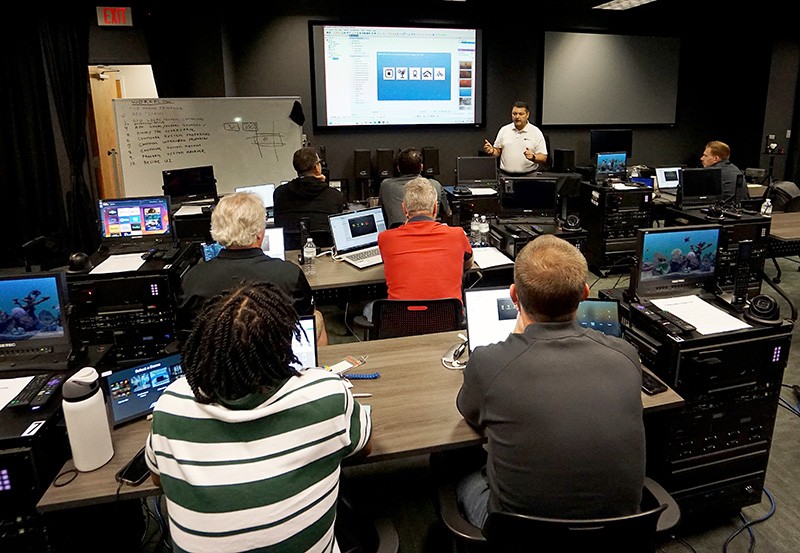
Join us for RTI’s Associate Training, designed to introduce you to Integration Designer 11 (ID11) and give you the foundational skills to program a Single Room Experience (SRE). This session is ideal for new RTI dealers or anyone looking to strengthen their knowledge of ID11 and RTI system design.

Associate Training

1:30:00

Join us for RTI’s Associate Training, designed to introduce you to Integration Designer 11 (ID11) and give you the foundational skills to program a Single Room Experience (SRE). This session is ideal for new RTI dealers or anyone looking to strengthen their knowledge of ID11 and RTI system design.

Associate Training

Expert Training

Hosted by product expert Vincent Bova, this 11-course series will give you the knowledge you need to build intelligent and engaging multi-room control systems using RTI Integration Designer 11.

Expert Training

Hosted by product expert Vincent Bova, this 11-course series will give you the knowledge you need to build intelligent and engaging multi-room control systems using RTI Integration Designer 11.

Expert Training

This course offers a guided tour of Integration Designer, introducing you to the software's layout, key features, and essential settings. By the end, you'll have a solid understanding of the interface and how to navigate the design environment with confidence.

Expert Training

This course offers a guided tour of Integration Designer, introducing you to the software's layout, key features, and essential settings. By the end, you'll have a solid understanding of the interface and how to navigate the design environment with confidence.

Expert Training

Learn how to design your project’s workspace using all the essential building blocks—processors, controllers, spaces, and sources. This course shows you how to structure a clean, efficient foundation for any Integration Designer project.

Expert Training

Learn how to design your project’s workspace using all the essential building blocks—processors, controllers, spaces, and sources. This course shows you how to structure a clean, efficient foundation for any Integration Designer project.

Expert Training

In this course, you’ll learn how to configure both project and workspace properties to define the foundation of your system. You’ll discover how these settings shape functionality, performance, and organization within Integration Designer.

Expert Training

In this course, you’ll learn how to configure both project and workspace properties to define the foundation of your system. You’ll discover how these settings shape functionality, performance, and organization within Integration Designer.

Expert Training

System Manager is the built-in intelligence and efficiency within Integration Designer. In this course, you’ll learn how to configure and program System Manager activities to automate, simplify, and enhance project performance.

Expert Training

System Manager is the built-in intelligence and efficiency within Integration Designer. In this course, you’ll learn how to configure and program System Manager activities to automate, simplify, and enhance project performance.

Expert Training

Learn how to use RTI’s powerful customization tools to design clean, functional, and visually consistent user interfaces that enhance every control experience.

Expert Training

Learn how to use RTI’s powerful customization tools to design clean, functional, and visually consistent user interfaces that enhance every control experience.

Expert Training

In this course, you’ll discover how to use these powerful tools for auto-programming, efficient maintenance, and seamless project updates. Eliminate repetitive tasks and streamlining your workflow.

Expert Training

In this course, you’ll discover how to use these powerful tools for auto-programming, efficient maintenance, and seamless project updates. Eliminate repetitive tasks and streamlining your workflow.

Expert Training

Two-way feedback is a critical part of every user interface. In this lesson, you’ll learn how to identify different graphic objects and program responsive, dynamic feedback to enhance system performance and user experience.

Expert Training

Two-way feedback is a critical part of every user interface. In this lesson, you’ll learn how to identify different graphic objects and program responsive, dynamic feedback to enhance system performance and user experience.

Expert Training

Learn some of the more in-depth programming tools and procedures that take your Integration Designer projects to the next level, improving control, efficiency, and user experience.

Expert Training

Learn some of the more in-depth programming tools and procedures that take your Integration Designer projects to the next level, improving control, efficiency, and user experience.

Expert Training

Unlock the power and advantages of the global controller in Integration Designer. Learn how it streamlines programming, saves page creation, and enhances multiroom control across your entire system.

Expert Training

Unlock the power and advantages of the global controller in Integration Designer. Learn how it streamlines programming, saves page creation, and enhances multiroom control across your entire system.

Expert Training

Learn how to configure an RTI DSP Matrix Audio Distribution amplifier. This course explores its powerful interface and advanced features that deliver unmatched performance and flexibility in audio control.

Expert Training

Learn how to configure an RTI DSP Matrix Audio Distribution amplifier. This course explores its powerful interface and advanced features that deliver unmatched performance and flexibility in audio control.

Expert Training

After configuring the RTI DSP, learn how to program complete audio distribution projects in Integration Designer, connecting sources, zones, and controls for seamless control and audio performance.

Expert Training

After configuring the RTI DSP, learn how to program complete audio distribution projects in Integration Designer, connecting sources, zones, and controls for seamless control and audio performance.

Expert Training

Audio Distribution

This video guides you through preparing your RTI Audio DSP for configuration and deployment in a project.

Audio Distribution

This video guides you through preparing your RTI Audio DSP for configuration and deployment in a project.

Audio Distribution

Course 1:

1:40

In this lesson, you'll become familiar with the main dashboard landing page of the web configuration tool.

Audio Distribution

Course 1:

1:40

In this lesson, you'll become familiar with the main dashboard landing page of the web configuration tool.

Audio Distribution

1:52

In this lesson, we’ll walk through how to configure sources on the Basic Source Setup screen.

Audio Distribution

1:52

In this lesson, we’ll walk through how to configure sources on the Basic Source Setup screen.

Audio Distribution

This lesson provides an overview of the Advanced Source Setup, including tools for fine-tuning audio sources.

Audio Distribution

This lesson provides an overview of the Advanced Source Setup, including tools for fine-tuning audio sources.

Audio Distribution

Course 4:

1:55

In this video, we will learn how to set up zones in the basic zone configuration page.

Audio Distribution

Course 4:

1:55

In this video, we will learn how to set up zones in the basic zone configuration page.

Audio Distribution

6:26

The Advanced Zone Configuration of the RTI DSP Matrix is explained in detail, including a secondary source feature.

Audio Distribution

6:26

The Advanced Zone Configuration of the RTI DSP Matrix is explained in detail, including a secondary source feature.

Audio Distribution

Course 6:

3:45

This lesson covers the grouping functionality, enabling you to combine zones for seamless multi-zone audio control.

Audio Distribution

Course 6:

3:45

This lesson covers the grouping functionality, enabling you to combine zones for seamless multi-zone audio control.

Audio Distribution

Course 7:

5:14

This lesson covers creating and assigning EQ presets with the 5-band parametric EQ in the RTI web interface.

Audio Distribution

Course 7:

5:14

This lesson covers creating and assigning EQ presets with the 5-band parametric EQ in the RTI web interface.

Audio Distribution

5:52

Learn how to use the Configuration tab to access and adjust control options for the RTI Audio DSP.

Audio Distribution

5:52

Learn how to use the Configuration tab to access and adjust control options for the RTI Audio DSP.

Audio Distribution

2:10

In this lesson, you’ll learn how to configure a zone with a subwoofer and apply DSP settings for a 2.1 system.

Audio Distribution

2:10

In this lesson, you’ll learn how to configure a zone with a subwoofer and apply DSP settings for a 2.1 system.

Audio Distribution

Design the workspace in Integration Designer and import your configured audio settings.

Audio Distribution

Design the workspace in Integration Designer and import your configured audio settings.

Audio Distribution

This lesson provides a comprehensive overview of the RTI driver, highlighting its core functionality and the benefits of integration.

Audio Distribution

This lesson provides a comprehensive overview of the RTI driver, highlighting its core functionality and the benefits of integration.

Audio Distribution

In this video, we’ll show you how to configure System Manager activities within Integration Designer.

Audio Distribution

In this video, we’ll show you how to configure System Manager activities within Integration Designer.

Audio Distribution

This lesson covers how to configure selection events triggered by activity selection in Integration Designer.

Audio Distribution

This lesson covers how to configure selection events triggered by activity selection in Integration Designer.

Audio Distribution

In this lesson, we’ll explore how to configure deselection events that execute when a room is powered down.

Audio Distribution

In this lesson, we’ll explore how to configure deselection events that execute when a room is powered down.

Audio Distribution

KX4 All-In-One Touchpanel

The first video in the KX4 Technical Training series covering an overview of the product with features and benefits.

KX4 Touchpanel

The first video in the KX4 Technical Training series covering an overview of the product with features and benefits.

KX4 Touchpanel

The second video of the KX4 Technical Training series covering the unboxing of the product.

KX4 Touchpanel

The second video of the KX4 Technical Training series covering the unboxing of the product.

KX4 Touchpanel

The third video of the KX4 Technical Training series covering the mounting and installation methods for the product.

KX4 Touchpanel

The third video of the KX4 Technical Training series covering the mounting and installation methods for the product.

KX4 Touchpanel

The fourth video in the KX4 Technical Training series covering the powering and connection options available for the product.

KX4 Touchpanel

The fourth video in the KX4 Technical Training series covering the powering and connection options available for the product.

KX4 Touchpanel

The fifth video in the KX4 Technical and Programming training series discusses the updating of firmware and programming methods for the unit.

KX4 Touchpanel

The fifth video in the KX4 Technical and Programming training series discusses the updating of firmware and programming methods for the unit.

KX4 Touchpanel

thumb_up

It was helpful

thumb_down

It was not helpful

feedback

I have feedback

thumb_up

Helpful

thumb_down

Not helpful

feedback

Feedback

thumb_up

It was helpful

thumb_down

It was not helpful

feedback

I have feedback